When a business owner plans to build a website, one common question comes up: should I use a ready-made website template or invest in a custom website design?
At first, a template website looks like the easier choice. It is faster, cheaper, and already has a design layout. You can change the text, images, colours, and launch the website quickly. For many small businesses, this sounds perfect.
But the real question is not only “Which option is cheaper?” The better question is: “Which option will help my business grow?”
A website is not just a digital visiting card. It should build trust, explain your services, rank on Google, work smoothly on mobile, and convert visitors into enquiries. If your website cannot do these things, it may look good but still fail as a business tool.
In this article, we will explain the difference between website templates and custom website design. We will also discuss cost, SEO, user experience, branding, scalability, and lead generation, so you can choose the right option for your business.
Table of Contents
Why This Decision Matters for Business Owners
Your website is often the first serious interaction between your business and your customer. Before a person calls you or visits your office, they may check your website to understand your services, quality, trust level, and professionalism.
This is why website design has a direct connection with credibility. Stanford’s web credibility guidelines, based on three years of research involving more than 4,500 people, recommend that websites should show a real organization, make contact details easy to find, look professional, be easy to use, and avoid small errors like broken links and spelling mistakes.
For a business owner, this means your website should not only be beautiful. It should be clear, useful, trustworthy, and easy to navigate.
A wrong website choice can affect your growth. For example, if you choose a template only because it is cheap, but later find that it is slow, difficult to customize, weak in SEO, or not suitable for lead generation, you may need to redesign the website again.
This is why the decision between template and custom design should be made carefully.
What Is a Website Template?
A website template is a ready-made website layout. It already has sections like header, banner, about, services, gallery, testimonials, blog, and contact form. You can replace the sample content with your own content.
Templates are available for WordPress, Wix, Squarespace, Shopify, HTML websites, and many website builders.
For example, if you need a basic website for a small business, you can choose a template, add your logo, update colours, write your service details, add contact information, and publish it.
When Are Website Templates Commonly Used?
Website templates are commonly used for personal portfolios, small brochure websites, temporary landing pages, event websites, basic startup websites, and businesses with very limited budgets.
They are useful when the business only needs a simple online presence and does not require advanced branding, SEO planning, custom features, or detailed conversion strategy.
What Is Custom Website Design?
Custom website design means the website is planned and designed based on your business goals, brand identity, target audience, services, and conversion needs.
A custom website does not start from a fixed ready-made layout. It starts with understanding your business. The designer and developer think about your users, your competitors, your services, your content, your call-to-action, and your future growth.
For example, a custom website for a clinic will not be planned the same way as a website for a resort, construction company, coaching institute, ecommerce store, or web design agency. Each business has different customers and different goals.
Custom design gives more control over layout, user flow, branding, SEO structure, page speed, content placement, and lead generation.
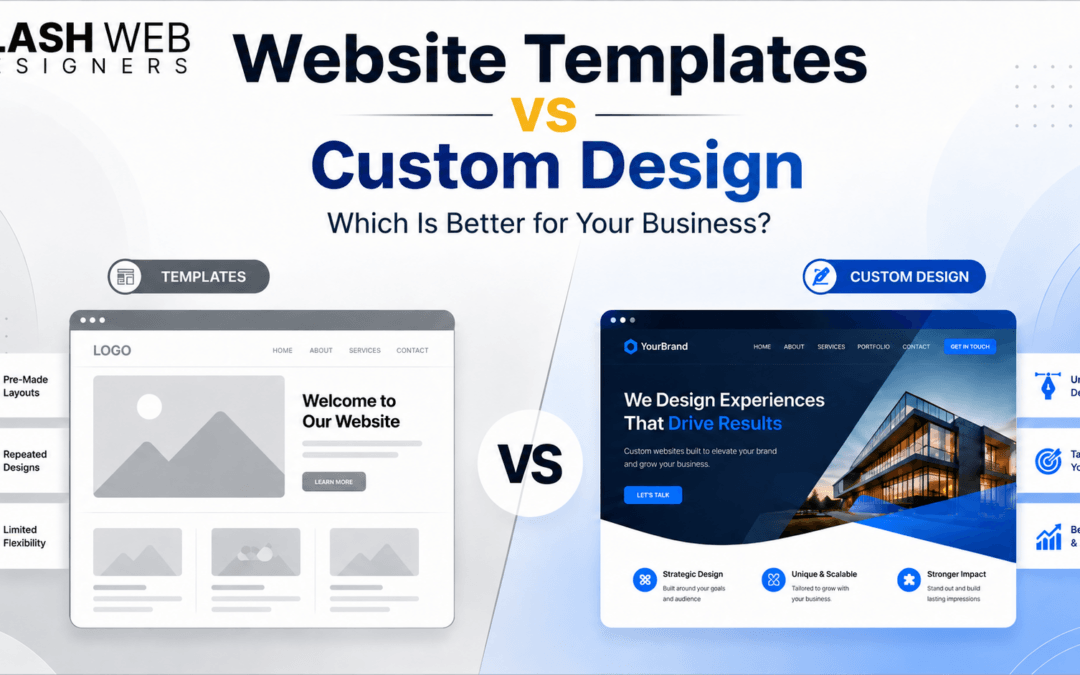
Website Templates vs Custom Design: Quick Comparison
Factor
Website Template
Custom Website Design
Cost
Lower initial cost
Higher initial investment
Time
Faster to launch
Takes more planning and development
Branding
May look common
Unique brand-focused design
SEO
Basic SEO possible
Stronger SEO structure possible
User Experience
Limited to template flow
Designed around customer journey
Scalability
Can become limited
Easier to scale
Lead Generation
Basic CTA placement
Conversion-focused layout
Best For
Simple websites
Growth-focused business websites
Benefits of Using Website Templates
1. Templates Are Budget-Friendly
The biggest benefit of a website template is cost. Since the design is already prepared, the business does not need to pay for a full custom design process.
For startups, small businesses, and personal brands with limited budgets, this can be helpful. A template can give you a basic online presence without a large upfront investment.
But business owners should remember one thing: low cost is useful only when the website meets your goal. If the website does not generate enquiries or support your business, the low cost may not give real value.
2. Templates Help You Launch Quickly
Templates are useful when you need a website quickly. Since the layout is already available, the designer or business owner can add content and launch faster.
This is useful for temporary campaigns, event pages, basic portfolios, or businesses that need a simple website immediately.
3. Templates Give a Ready-Made Structure
Many templates already include common website sections like hero banner, services, about us, gallery, testimonials, and contact form. This helps business owners who do not know where to start.
Instead of planning every section from zero, a template gives a basic structure.
4. Templates Are Good for Simple Websites
If your website only needs a few pages, such as Home, About, Services, and Contact, a template may work well.
For example, a small local business that does not depend heavily on website leads may start with a template and improve it later.
Limitations of Website Templates
1. Templates Can Look Generic
Many businesses use the same templates. If your website uses a common layout with only basic colour and text changes, it may look similar to many other websites.
This can reduce brand impact. A customer may not remember your website because it does not feel unique.
For businesses that want strong branding and a professional image, this is a serious limitation.
2. Limited Flexibility
Templates are built with a fixed structure. You can customize them to some extent, but not always fully.
Sometimes you may want to change a section layout, add a special form, create a unique service page, improve mobile structure, or build a custom landing page. The template may not support these changes easily.
This is where many business owners feel stuck.
3. SEO May Not Be Properly Planned
A template may look good visually, but that does not mean it is SEO-friendly.
SEO needs proper heading structure, clean URLs, fast loading speed, mobile-friendly layout, internal linking, keyword-focused content, optimized images, schema markup, and useful page structure.
Google recommends good Core Web Vitals because they measure real user experience in loading performance, interactivity, and visual stability. Google’s recommended targets include LCP within 2.5 seconds, INP under 200 milliseconds, and CLS below 0.1.
Many template websites fail because SEO is added later as an afterthought. A good business website should plan SEO before the design is finalized.
Some templates come with extra scripts, animations, plugins, unused sections, and heavy images. These things can slow down the website.
Website speed matters because users do not like waiting. Google has also clearly connected performance, loading, responsiveness, and visual stability with user experience through Core Web Vitals.
If your template is heavy, the website may look attractive but perform poorly.
5. Future Growth Can Become Difficult
A business website may start small, but later you may need more service pages, blog sections, landing pages, booking systems, payment gateways, CRM integration, WhatsApp tracking, or SEO campaigns.
A template may not always support this growth smoothly. You may need to rebuild the website later.
Benefits of Custom Website Design
1. Built Around Your Business Goals
The biggest benefit of custom website design is strategy.
A custom website starts with questions like:
What does your business offer?
Who is your target customer?
What problem does your customer want to solve?
What action should the visitor take?
Which services need separate pages?
Which keywords should the website target?
How should the website generate leads?
This planning makes the website stronger. It is not just designed for appearance. It is designed for business results.
2. Stronger Branding
Custom design helps your website match your brand properly. Your colours, typography, layout, images, icons, tone, and message can be designed in a unique way.
This is important because customers compare businesses online. A strong website can make your business look more professional and reliable.
Stanford’s guidelines also highlight that professional visual design, easy contact information, and useful user experience help improve website credibility.
3. Better User Experience
User experience means how easily visitors can use your website.
A good website should help visitors find information quickly. They should understand what you offer, why they should trust you, and how to contact you.
Custom design allows you to plan the user journey properly. For example, you can decide where to place CTAs, how to arrange service sections, how to show testimonials, where to add FAQs, and how to guide users from homepage to enquiry.
Google uses the mobile version of a website’s content for indexing and ranking, and it recommends responsive web design because it is easier to implement and maintain.
This means your custom website should be planned for mobile users from the beginning.
Custom design gives you more control over SEO structure.
You can plan service pages based on keywords, create proper H1/H2/H3 headings, optimize URL slugs, add internal links, improve content hierarchy, use schema markup, and structure the website for Google and users.
For example, a web design company in Hyderabad may need separate pages for:
Website design services in Hyderabad
Website development services in Hyderabad
Ecommerce website development
Website redesign services
SEO-friendly website design
Website maintenance services
This kind of structure is difficult when you only follow a fixed template.
5. Better Conversion Planning
A business website should convert visitors into leads.
This means your website should encourage users to call, fill out a form, send a WhatsApp message, book a consultation, or request a quote.
Custom design allows better CTA placement. You can add enquiry buttons after important sections, keep contact options visible, show trust signals, and reduce confusion.
For ecommerce websites, conversion planning is even more important. Baymard Institute reports an average online shopping cart abandonment rate of 70.22%, based on 50 studies, and says large ecommerce sites can gain a 35.26% conversion-rate increase through better checkout design.
This shows how much design and user experience can affect business results.
6. Easier to Scale
Custom websites can be planned for future growth.
If you want to add blogs, landing pages, online payment, ecommerce, booking, CRM, analytics, or marketing funnels later, a custom website gives better flexibility.
For growing businesses, this is important because your website should support your future marketing, not block it.
Limitations of Custom Website Design
1. Higher Initial Cost
Custom website design usually costs more than a template website. This is because it involves strategy, planning, design, development, testing, content structure, SEO setup, and revisions.
But for a serious business, this is not just a cost. It is an investment in branding, trust, visibility, and lead generation.
2. Longer Development Time
A custom website takes more time because it is not based on a ready-made layout.
The process may include requirement discussion, competitor research, wireframe planning, design, development, content placement, mobile testing, SEO optimization, and launch checks.
This time is important because a well-planned website performs better than a rushed website.
3. Requires the Right Team
Custom design works best when the team understands both design and business.
A website should not be created only by looking at design trends. It should be created by understanding your customers, your services, your local market, and your SEO goals.
This is where working with an experienced web design company becomes useful.
Which Option Is Better for SEO?
Both template websites and custom websites can rank on Google if they are properly optimized. The difference is in control and planning.
A template website can rank if it has good content, fast loading speed, mobile responsiveness, proper headings, clean URLs, and technical SEO.
But custom website design usually gives better SEO control because the structure is planned from the beginning. You can create keyword-focused pages, improve internal linking, optimize content flow, and design pages based on search intent.
Google’s guidance on AI-generated and web content also emphasizes accuracy, quality, relevance, helpful structure, metadata, structured data, and alt text.
This is important for modern SEO because people are searching not only on Google, but also through AI tools like ChatGPT, Gemini, and Perplexity. Clear headings, direct answers, FAQs, and helpful explanations make your content easier for both search engines and AI tools to understand.
Which Option Is Better for User Experience?
Templates provide a basic user flow. This may be enough for simple websites.
But custom design gives a business-specific user flow. It allows you to design the homepage, service pages, forms, CTAs, testimonials, FAQs, and navigation based on your customers.
For example, a hospital website, school website, real estate website, and web design agency website should not follow the same user flow. Each business has different users and different conversion goals.
A custom website helps you plan this properly.
Which Option Is Better for Lead Generation?
If your website is only for basic information, a template may be enough.
But if your website is expected to generate enquiries, custom design is usually better. Lead generation needs planning. It needs strong headlines, trust-building sections, service explanations, testimonials, simple forms, WhatsApp buttons, and clear CTAs.
A custom website can guide the visitor step by step:
First, understand the problem.
Then, trust your business.
Then, explore the service.
Then, take action.
This is how a website becomes a sales asset.
Want a website that is designed for leads, not just looks? Contact Slash Web Designers for SEO-friendly website design services in Hyderabad.
You can choose a website template if your budget is low, your timeline is short, and your website requirement is simple.
A template is suitable when:
You need a basic website quickly.
You do not need advanced features.
You are testing a new business idea.
You only need an online presence.
You are okay with limited customization.
You do not depend heavily on SEO or website leads.
Templates are not bad. They are useful in the right situation. The problem starts when a business expects a basic template website to perform like a custom growth-focused website.
When Should You Choose Custom Website Design?
You should choose custom website design if your website is important for leads, branding, SEO, and long-term business growth.
Custom design is better when:
You want a unique brand identity.
You want to rank on Google.
You need service-specific pages.
You need better user experience.
You want more enquiries.
You need future scalability.
You want a professional business website.
You are planning digital marketing campaigns.
For serious business websites, custom design gives more long-term value.
What Should Businesses Choose in 2026?
In 2026, businesses should choose based on their goals, not only based on price.
A template website is good for a quick and simple start. A custom website is better when your business needs trust, branding, SEO, lead generation, scalability, and long-term digital growth.
There is also a balanced option. Some businesses can start with a premium template and customize it professionally. This can reduce cost while still improving branding, speed, SEO, and user experience.
But if your website is central to your sales and marketing, custom design is usually the better choice.
Why Business Owners in Hyderabad Should Think Carefully
Hyderabad has become a highly competitive business market. Whether you run a clinic, institute, restaurant, real estate company, IT service, manufacturing business, or local service company, your customers are checking you online.
If your competitors have better websites, better service pages, better reviews, better UX, and stronger SEO, they may get the enquiry before you.
For Hyderabad businesses, a website should support local SEO terms like:
Website design company in Hyderabad
Website development services in Hyderabad
Ecommerce website development Hyderabad
SEO-friendly website design Hyderabad
Website redesign services Hyderabad
This is why a professional website should be planned with both design and SEO in mind.
Conclusion
Website templates and custom website design both have their place.
Templates are useful when you need a simple website quickly and at a lower cost. They are good for basic online presence, small projects, and temporary pages.
Custom website design is better when your website needs to support branding, SEO, user experience, lead generation, and long-term growth.
A business website should not be selected only by looking at the initial price. It should be selected by looking at your business goal.
If your website is expected to bring enquiries, build trust, rank on Google, and support your marketing, custom website design is usually the smarter investment.
At Slash Web Designers, we help businesses in Hyderabad build websites that are professional, SEO-friendly, mobile-responsive, and designed to generate quality leads.
1. What is the difference between a website template and custom website design?
A website template is a ready-made layout that can be edited with your content, images, and colours. Custom website design is planned from scratch based on your business goals, branding, audience, services, and SEO needs.
2. Are website templates good for business websites?
Yes, website templates can be good for simple business websites with basic requirements. But if your website needs strong branding, SEO, custom features, or lead generation, custom design is usually better.
3. Is custom website design better for SEO?
Custom website design can be better for SEO because the website structure, headings, content flow, speed, internal linking, and service pages can be planned from the beginning.
4. Is a template website cheaper than a custom website?
Yes, a template website is usually cheaper because the design is already prepared. Custom websites cost more because they require planning, design, development, testing, and SEO setup.
6. Which is better for small businesses: template or custom design?
For a very small business with a limited budget, a template can be a good start. For a small business that wants leads, local SEO, better branding, and long-term growth, custom design is better.
7. When should I choose custom website design?
Choose custom website design when your website is important for sales, enquiries, branding, SEO, and future growth.
When a business owner plans to build a website, one common question comes up: should I hire a freelancer or a web design agency?
At first, both options may look similar. A freelancer can design a website, and a web design agency can also design a website. But the real difference is not only in the design. The difference is in planning, strategy, quality, communication, SEO, maintenance, and long-term support.
For many business owners, a website is not just a one-time project. It is a business asset. It helps customers find your business, understand your services, trust your brand, and contact you. That is why choosing the right website partner is very important.
A low-cost website may look attractive in the beginning, but if it does not generate leads, load fast, rank on Google, or support your business growth, it may cost you more in the long run.
In this article, we will explain the difference between a freelancer and a web design agency in simple English, so you can make the right decision for your business.
Why Choosing the Right Website Partner Matters
Your website is often the first impression of your business. Before a customer calls you, visits your office, or sends an enquiry, they may check your website.
If the website looks professional, loads fast, explains your services clearly, and gives easy contact options, the customer feels more confident. But if the website looks outdated, confusing, slow, or incomplete, the visitor may leave and choose another business.
This is why web design is not only about colours and images. A good website needs proper structure, user experience, mobile responsiveness, SEO planning, content, speed optimization, security, and regular maintenance.
A freelancer may be suitable for some small projects. But for businesses that need a professional, SEO-friendly, and lead-generating website, a web design agency often provides a more complete solution.
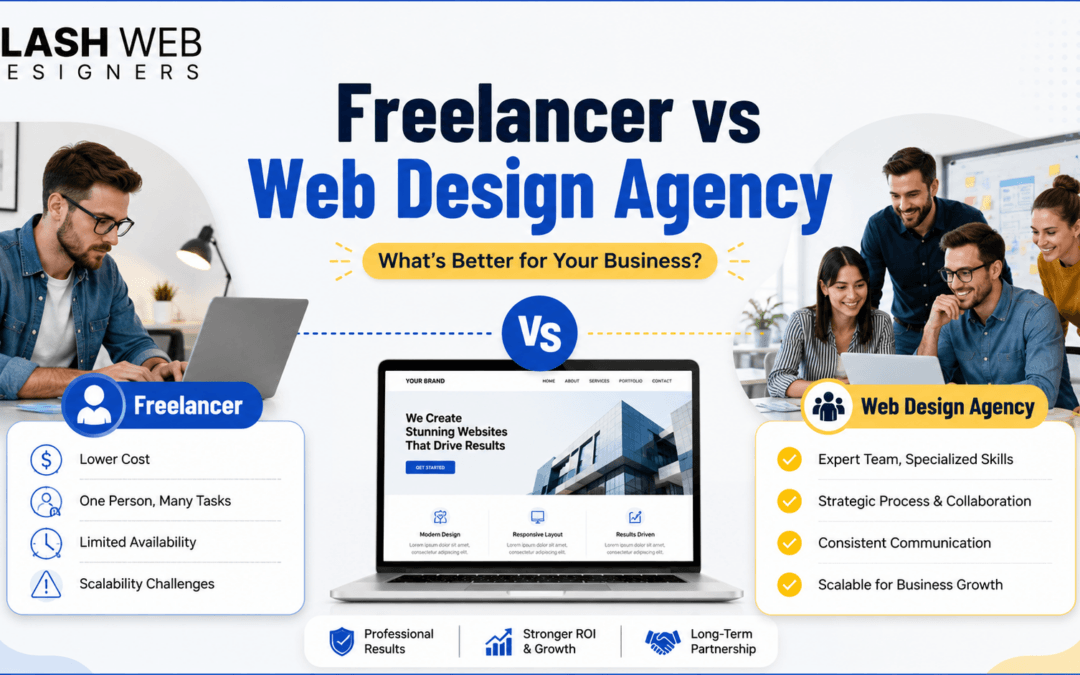
Freelancer vs Web Design Agency: Quick Comparison
Before going into details, let us understand the basic difference.
A freelance web designer is usually an individual professional who works independently. They may handle design, development, communication, and changes on their own.
A web design agency is a team of professionals. An agency may include designers, developers, SEO experts, content writers, project managers, and support staff. This gives the business a more structured and reliable website development process.
Both have advantages. The right choice depends on your business goals, budget, timeline, and expectations.
What Is a Freelance Web Designer?
A freelance web designer is an independent person who offers website design or development services. Freelancers usually work with multiple clients on a project basis.
They may be good for small websites, landing pages, personal portfolios, basic brochure websites, or simple design tasks.
The biggest advantage of hiring a freelancer is cost. Freelancers usually charge less than agencies because they have fewer overhead costs. For a small business with a very limited budget, this can look like an easy option.
But the challenge is that one person may not be an expert in everything. Website design needs many skills, such as UI design, development, SEO, speed optimization, content structure, mobile responsiveness, security, and technical maintenance. A freelancer may be strong in one area but weak in another.
What Is a Web Design Agency?
A web design agency is a professional company that provides complete website design and development services. Instead of depending on one person, an agency usually works with a team.
A web design agency can handle strategy, design, development, SEO, content guidance, testing, launch, and support. This makes the process more organized.
For business owners, this is important because they do not just need a website that looks good. They need a website that supports business growth.
A good web design agency understands how to design a website for users, search engines, and conversions. This means the website should be easy to use, easy to find on Google, and easy for visitors to contact your business.
Key Differences Between a Freelancer and a Web Design Agency
The choice between a freelancer and an agency should not be based only on price. You should look at the complete value. Below are the key areas where both options are different.
1. Cost and Budget
Freelancers are usually cheaper than agencies. If your requirement is very simple and your budget is low, a freelancer may be enough.
But cost should not be the only factor. A cheap website that does not bring enquiries, does not rank on Google, or needs frequent fixes can become expensive later.
A web design agency may charge more, but the cost usually includes planning, design, development, quality testing, SEO structure, mobile responsiveness, and support. This gives better long-term value.
For business owners, the real question should not be “Who is cheaper?” The better question is “Which option will give me a website that supports my business goals?”
2. Skill Set and Expertise
A website needs different skills. It needs good layout design, proper coding, SEO-friendly structure, user experience, content placement, website speed, and security.
A freelancer may be skilled, but one person may not cover all these areas deeply. For example, a freelancer may design a beautiful website but may not understand SEO. Another freelancer may be good at coding but weak in design or content structure.
A web design agency usually has different people for different tasks. A designer handles the look and feel. A developer builds the website. An SEO expert checks the structure. A content person may guide the messaging. This teamwork improves the final quality.
This is very important in web designing because every part of the website affects performance. Design, development, and SEO should work together.
3. Project Management and Communication
Website projects need clear communication. Business owners need updates, timelines, approvals, revisions, and proper handover.
With freelancers, communication can sometimes become difficult if they are busy with multiple projects or working alone. If they are unavailable, the project may get delayed.
A web design agency usually follows a more structured process. There may be a project manager or dedicated contact person who coordinates the work. This makes communication easier and more professional.
For business owners, this saves time. You know what is happening, when the work will be completed, and what is required from your side.
4. Website Design Quality
A professional website should not only look attractive. It should also be easy to use, mobile-friendly, fast, and conversion-focused.
Some freelancers can create good designs, but the quality may depend on their personal experience and skill level. If the freelancer does not understand business goals, the website may look nice but fail to generate leads.
A web design agency usually starts with business goals. They try to understand your target audience, services, competitors, and conversion needs. Then they design the website accordingly.
This is important because a business website should guide users. The homepage, service pages, CTAs, forms, images, and content should all help visitors take the next step.
5. SEO and Marketing Support
This is one of the biggest differences.
Many websites are designed without SEO planning. They may look good, but they do not rank on Google. For a business, this is a problem because the website will not get organic traffic.
A freelancer may or may not understand SEO. Some freelancers focus only on design and development. They may not optimize headings, URLs, meta tags, internal links, image alt text, loading speed, or page structure.
A professional web design agency usually understands the connection between web design and SEO. An SEO-friendly website is built in a way that search engines can understand easily.
At Slash Web Designers, we focus on creating websites that are not only visually professional but also search-friendly. This helps businesses build a strong online presence from the beginning.
Want a website that looks professional and is built for Google visibility? Contact Slash Web Designers for SEO-friendly website design services in Hyderabad.
Website delivery depends on planning, resources, and availability.
A freelancer may deliver quickly for small projects. But if the project becomes bigger or needs multiple changes, delays can happen because everything depends on one person.
An agency has a team, so work can be divided. Design, development, content updates, testing, and corrections can move in a more organized way.
Reliability is also important after the website is launched. If something breaks, if a plugin creates an issue, or if you need a quick change, an agency is more likely to have a support system.
For business websites, delivery should not only be fast. It should be proper. A website should be tested before launch for mobile view, speed, forms, links, browser compatibility, and basic SEO.
7. Website Maintenance and Long-Term Support
A website needs maintenance after launch. It may need plugin updates, security checks, backups, content changes, speed improvement, bug fixes, and SEO updates.
Many business owners ignore this point. They only focus on website launch. But after a few months, problems may start if the website is not maintained.
With freelancers, long-term support can be uncertain. Some freelancers may move to other jobs, become unavailable, or stop taking small update requests.
A web design agency usually provides ongoing maintenance and support. This is helpful for businesses that want peace of mind.
A website is not a one-time design file. It is a live business tool. Regular maintenance keeps it secure, updated, and useful.
8. Scalability for Business Growth
Your business may start with a basic website. But later, you may need more pages, landing pages, blogs, SEO, ecommerce features, payment gateway, booking system, CRM integration, or marketing campaign pages.
A freelancer may be able to handle small additions, but scaling a website requires planning and technical understanding.
A web design agency can help you plan for future growth. They can build the website structure in a way that supports new pages, SEO expansion, and business growth.
This is especially important for growing businesses in Hyderabad that want to use their website for leads, branding, and digital marketing.
When Should You Hire a Freelancer?
Hiring a freelancer can be a good option when your project is small and simple.
For example, you may hire a freelancer if you need a personal portfolio, a simple landing page, a small brochure website, minor design changes, or a short-term task.
A freelancer can also be suitable when your budget is very limited and you do not need advanced SEO, ongoing support, custom design strategy, or long-term planning.
But before hiring a freelancer, check their portfolio, communication style, experience, timeline, and support policy. Also ask whether they will provide basic SEO setup, mobile responsiveness, and post-launch support.
When Should You Hire a Web Design Agency?
You should consider hiring a web design agency when your website is important for your business growth.
If you want a professional business website, SEO-friendly structure, strong branding, service pages, landing pages, ecommerce features, content guidance, mobile optimization, and ongoing support, an agency is usually a better choice.
An agency is also a better option when you want a proper process. This includes requirement discussion, design planning, content structure, development, testing, launch, and maintenance.
For business owners, this gives more confidence. You are not depending on one person. You are working with a team that understands how business websites should perform.
Planning to build or redesign your business website? Slash Web Designers can help you create a fast, mobile-friendly, SEO-optimized website that supports your business growth.
Why Business Owners in Hyderabad Should Think Beyond Low Cost
Hyderabad has many growing businesses, startups, service providers, educational institutes, clinics, restaurants, real estate companies, manufacturers, and local service brands.
Most customers now search online before contacting a business. They compare websites, reviews, services, and trust signals. If your website does not create a good impression, you may lose leads to competitors.
This is why Hyderabad business owners should think beyond low-cost website design. A website should represent your brand professionally. It should be easy to use, easy to find on Google, and easy to contact.
A cheap website may save money today, but a strategic website can generate leads for years.
If your website is designed properly, it can support Google rankings, paid ads, social media campaigns, WhatsApp enquiries, and customer trust.
Which Option Is Better for Your Business Website?
There is no one answer for every business.
A freelancer may be better if your requirement is small, simple, and budget-focused.
A web design agency is better if your website is connected to your business growth, lead generation, SEO, branding, and long-term digital presence.
For most serious business websites, an agency gives better value because it provides a complete approach. You get design, development, SEO structure, testing, support, and future scalability.
The right choice depends on what you expect from your website. If you only want an online presence, a freelancer may be enough. But if you want a website that builds trust, ranks better, and generates enquiries, a web design agency is usually the better option.
Final Thoughts
Choosing between a freelancer and a web design agency is an important business decision.
A freelancer can be useful for small and simple projects. But if you want a professional website that supports your business, improves your online presence, and helps you generate leads, working with a web design agency is often the smarter choice.
A good website needs more than design. It needs planning, SEO, speed, user experience, mobile responsiveness, content structure, security, and support.
At Slash Web Designers, we help businesses in Hyderabad build websites that are clean, professional, SEO-friendly, and designed for growth.
Need expert guidance for your business website? Get in touch with Slash Web Designers today and build a website that works for your brand, your customers, and your long-term growth.
1. Is it better to hire a freelancer or a web design agency?
It depends on your project. A freelancer may be suitable for small and simple websites. A web design agency is better for business websites that need professional design, SEO, reliability, and long-term support.
2. Why is a web design agency more expensive than a freelancer?
An agency usually has a team of designers, developers, SEO experts, and support staff. The cost is higher because the service is more complete and structured.
3. Can a freelancer build an SEO-friendly website?
Some freelancers can build SEO-friendly websites, but not all freelancers specialize in SEO. If SEO is important for your business, make sure the person or company understands technical SEO, content structure, speed, and mobile optimization.
4. Which is better for a business website in Hyderabad?
For a serious business website in Hyderabad, a web design agency is usually a better option because it can provide strategy, design, development, local SEO support, and ongoing maintenance.
5. What should I check before hiring a web design agency?
Check their portfolio, website design process, SEO knowledge, service pages, client reviews, support options, pricing clarity, and ability to understand your business goals.
6. Is a low-cost website good for business?
A low-cost website may be fine for a basic online presence, but it may not support SEO, lead generation, user experience, or long-term growth. For business results, quality and strategy matter more than only low price.
A professional website is not just an online brochure. For a business, it is one of the most important tools for building trust, attracting customers, generating leads, and increasing sales.
Many business owners think a website is only needed to show company details, services, contact number, and address. But in reality, a properly designed website can work like a 24/7 sales representative. It can answer customer questions, explain your services, show your work, collect enquiries, and guide visitors to take action.
For businesses in Hyderabad, this is even more important because customers now search online before making a decision. Whether someone needs a web design company, interior designer, clinic, real estate service, school, restaurant, manufacturer, or local service provider, the first impression often starts from Google or the business website.
A professional website helps your business look trustworthy, stay visible online, and convert visitors into real leads.
Why a Professional Website Matters for Business Growth
A website is often the first place where potential customers judge your business. Before they call you, visit your office, or send a WhatsApp message, they may check your website to understand who you are and whether they can trust you.
A poorly designed website can create doubt. If the layout looks outdated, pages load slowly, content is unclear, or contact details are hard to find, visitors may leave and choose another company.
A professional website solves this problem by presenting your business clearly. It shows your services, experience, work quality, reviews, contact options, and reasons to choose you. This builds confidence and makes the visitor more likely to enquire.
In web designing, every element should have a purpose. The design, content, buttons, forms, images, and page structure should all guide the visitor toward a clear action, such as calling, filling out a form, requesting a quote, or sending a WhatsApp message.
Key Ways a Professional Website Helps Businesses Generate More Leads and Sales
A professional website supports business growth in many ways. It does not only make your company look good online, but also helps visitors trust your business, understand your services, and take action.
For business owners, every website section should have a clear purpose. The design should guide visitors from the first impression to the final enquiry. This includes the layout, content, speed, mobile experience, contact options, and calls-to-action.
Below are the key ways a professional website can help businesses attract more visitors, generate quality leads, and increase sales.
1. A Professional Website Builds Trust and Credibility
Trust is one of the biggest reasons people buy from a business. When customers land on your website, they quickly decide whether your business looks reliable or not.
A professional website builds trust through clean design, proper branding, clear service information, real images, testimonials, case studies, business address, phone number, and secure browsing.
For example, if a Hyderabad business owner is searching for a web designing company, they may compare 3 to 5 websites before contacting anyone. The company with a professional website, clear portfolio, testimonials, and strong service pages will usually look more trustworthy than a business with a basic or outdated website.
Important web design elements that build trust
Your website should have a professional logo, consistent colours, readable fonts, clean spacing, proper images, SSL security, and clear contact information. These small details make a big difference in how people see your business.
Trust-building pages are also important. An About Us page, portfolio page, case studies, client reviews, FAQs, and contact page help visitors understand your business better.
A good website does not just say “we are the best.” It shows proof through work samples, results, client feedback, and clear explanations.
2. A Website Helps Customers Find You on Google
A professional website should be designed with SEO from the beginning. This includes clean page structure, proper headings, fast loading speed, mobile-friendly design, optimized images, and helpful content. These elements make it easier for Google to understand your website and show it to the right audience. We have also explained this in detail in our guide on how to build an SEO-friendly website that ranks on Google in 2026.
If your website is designed with SEO in mind, it becomes easier for search engines to understand your pages. This includes proper headings, keyword-focused content, fast loading speed, mobile-friendly design, internal linking, optimized images, and clean page structure.
When your website ranks for these keywords, you can attract people who are already searching for your service. These visitors are more valuable because they already have intent.
Why SEO is important in web design
Many websites look good but do not rank because SEO was not planned during the design stage. A professional website should not only be visually attractive. It should also be technically strong and search-friendly.
SEO-friendly web design includes proper URL structure, meta titles, meta descriptions, schema markup, fast speed, responsive design, and well-organized content.
This helps your website bring organic traffic without depending only on paid ads.
3. A Professional Website Converts Visitors into Leads
Getting visitors to your website is only the first step. The real goal is to convert those visitors into leads.
A lead can be a phone call, WhatsApp enquiry, form submission, quote request, appointment booking, brochure download, or email sign-up.
A professional website is designed with conversion in mind. It gives visitors the right information and makes it easy for them to take the next step.
Web design elements that increase leads
Clear call-to-action buttons are very important. Buttons like “Get a Free Quote,” “Book a Consultation,” “Call Now,” “Request Website Pricing,” or “Talk to Our Web Design Expert” guide users toward action.
Contact forms should be simple. Asking too many questions can reduce enquiries. For most service businesses, a basic form with name, phone number, email, and message is enough.
Phone number and WhatsApp buttons should be easy to find, especially on mobile. Many users prefer quick contact instead of filling long forms.
A lead-generating website removes confusion. It tells visitors what you offer, why they should trust you, and how they can contact you.
CTA 1: Need a website that brings real enquiries, not just visitors? Contact Slash Web Designers for an SEO-optimized business website designed to generate leads.
4. Mobile-Friendly Design Helps Capture More Customers
Most users browse websites from mobile phones. If your website does not work well on mobile, you may lose many potential customers.
A mobile-friendly website should load fast, display properly on all screen sizes, have readable text, easy navigation, clickable phone numbers, and simple contact forms.
For local businesses in Hyderabad, mobile experience is even more important because many people search while travelling, comparing services, or looking for nearby businesses.
If your website is difficult to use on mobile, visitors may leave within seconds. But if it is smooth, fast, and easy to navigate, they are more likely to call or enquire.
Many businesses lose leads not because their service is weak, but because their website experience is poor. Confusing navigation, slow pages, unclear CTAs, outdated design, and poor mobile layout can push visitors away. If your existing website is not converting visitors into enquiries, you should also check these website redesign mistakes that can ruin user experiencebefore planning a redesign.
Importance in web designing
Responsive design is no longer optional. It is a basic requirement. A professional web designer should test the website on mobile, tablet, laptop, and desktop before launch.
Mobile design should focus on speed and simplicity. Buttons should be easy to tap. Content should be easy to read. The most important contact options should be visible without too much scrolling.
A good mobile website directly supports lead generation.
5. Fast Loading Speed Improves User Experience and Sales
Website speed has a direct impact on user experience. If your website takes too long to load, visitors may leave before even reading your content.
A slow website can also affect SEO performance. Search engines prefer websites that provide a better user experience, and speed is a part of that experience.
Behind every professional website, strong development matters. Clean coding, optimized structure, reliable hosting setup, and proper technical implementation help the website perform better. Our website development services in Hyderabad help businesses build fast, secure, and scalable websites that support long-term growth.
For business websites, speed is not just a technical issue. It is a sales issue. Every delay can reduce enquiries.
How web design affects speed
Large images, heavy themes, too many plugins, poor hosting, unnecessary animations, and unoptimized code can slow down a website.
A professional web design company should optimize images, use clean code, choose reliable hosting, reduce unnecessary scripts, and follow performance best practices.
A fast website keeps visitors engaged and helps them move smoothly from landing page to enquiry.
6. Clear Website Navigation Helps Visitors Take Action
Website navigation should be simple and logical. Visitors should quickly understand where to go and what to do next.
A confusing website can frustrate users. If they cannot find your services, pricing, portfolio, or contact details, they may leave.
A professional website organizes information properly. Main pages such as Home, About, Services, Portfolio, Blog, Case Studies, and Contact should be easy to access.
Why navigation matters in web design
Good navigation improves user experience and also helps search engines crawl your website. When pages are properly connected through menus and internal links, visitors can explore more content.
For example, if a visitor is reading a blog about website development cost, you can internally link to your website development service page. This moves the visitor closer to enquiry.
Navigation should guide users naturally, not confuse them.
7. Landing Pages Help Generate More Targeted Leads
A landing page is a focused page created for a specific service, campaign, offer, or audience. It is designed to convert visitors into leads.
For example, Slash Web Designers can create separate landing pages for:
Website design in Hyderabad Ecommerce website development WordPress website design Website redesign services SEO-friendly website development Website maintenance services
Each landing page should focus on one topic. It should explain the problem, solution, benefits, process, pricing guidance, FAQs, and CTA.
Importance of landing pages in web design
A homepage cannot explain everything in detail. Landing pages allow you to target specific keywords and customer needs.
For paid ads, landing pages are very important. Sending all ad traffic to the homepage may not convert well. A dedicated landing page with a strong message and clear CTA can generate better leads.
A good landing page should have a strong headline, service benefits, trust signals, simple form, and clear CTA.
8. Content Helps Educate and Convert Customers
Content is an important part of a professional website. Your website should answer the questions your customers are already asking.
Business owners often want to know:
How much does a website cost? How long does website development take? What pages does a business website need? What is the difference between template and custom design? Why is SEO important in website design? How can a website generate leads?
When your website answers these questions, visitors trust you more. Helpful content also improves SEO because people search for these topics on Google.
Importance in web designing
Design and content should work together. A beautiful website with weak content may not convert. Similarly, good content with poor design may not create trust.
Professional web design should include strong headings, easy-to-read paragraphs, service explanations, FAQs, internal links, and conversion-focused CTAs.
Blog posts, case studies, service pages, and FAQs can all bring traffic and generate leads over time.
CTA 2: Want your website to rank on Google and convert visitors into leads? Slash Web Designers can help you design a fast, mobile-friendly, SEO-optimized website for your business.
9. Social Proof Increases Enquiries and Sales
People trust other customers more than business claims. This is why testimonials, reviews, case studies, client logos, and portfolio examples are important.
When visitors see that other people have worked with you and received good results, they feel more confident.
For a web design company, portfolio and case studies are very powerful. Instead of only saying “we design professional websites,” show examples of websites you have built.
Web design elements for social proof
You can add testimonial sections on the homepage, service pages, and landing pages. You can also add Google reviews, client logos, project screenshots, before-and-after redesign examples, and case studies.
Case studies are especially useful because they show the problem, solution, and result. This helps business owners understand how your service can help them.
Social proof reduces doubt and increases conversion.
10. A Website Supports 24/7 Sales and Customer Support
A professional website works even when your office is closed. It can explain your services, answer common questions, collect enquiries, and allow users to contact you anytime.
For service businesses, this is very valuable. Customers may search at night, on weekends, or during holidays. If your website is ready, you can still capture those leads.
Useful features for 24/7 lead generation
You can add FAQs, WhatsApp chat, enquiry forms, booking forms, downloadable brochures, service pages, and automated email responses.
Live chat or chatbot features can also help answer basic questions and collect customer details.
This makes your website more than just an information page. It becomes a business growth tool.
11. Analytics Help Improve Website Performance
A professional website should not be designed once and forgotten. It should be tracked and improved over time.
Analytics tools like Google Analytics and Google Search Console help you understand how users are finding and using your website.
You can check which pages get traffic, which keywords bring visitors, which pages generate enquiries, and where users are dropping off.
Importance in web design
Without tracking, you are guessing. With analytics, you can make better decisions.
For example, if many users visit a service page but do not enquire, you may need to improve the CTA, form placement, content, trust signals, or page speed.
Professional web design should include basic tracking setup so business owners can understand performance.
12. Local SEO Helps Hyderabad Businesses Reach Nearby Customers
For local businesses, location-based visibility is very important. A professional website should be optimized for local searches.
If your business serves Hyderabad, your website should mention your service areas naturally. This can include locations like Madhapur, Gachibowli, Hitech City, Kondapur, Jubilee Hills, Banjara Hills, Kukatpally, Secunderabad, Mehdipatnam, and other relevant areas.
Local SEO helps your business appear when people search for services near them.
Web design and local SEO connection
A local business website should include NAP details: name, address, and phone number. It should also connect with Google Business Profile, include location pages where needed, and use schema markup.
Adding local case studies and Hyderabad-focused content can also improve relevance.
For example, a blog like “Website Development Cost in Hyderabad” can attract business owners searching for pricing information.
Conclusion
A professional website can help a business generate more leads and sales by building trust, improving visibility, creating a better user experience, and guiding visitors toward action.
It is not enough for a website to look good. It should be fast, mobile-friendly, SEO-optimized, easy to navigate, and designed for conversions.
For business owners in Hyderabad, a professional website can become one of the strongest marketing assets. It can bring organic traffic from Google, support paid ad campaigns, explain services clearly, collect enquiries, and help customers trust your business.
A good website works day and night. It supports your brand, your marketing, your sales, and your growth.
For a business website to generate leads, design and strategy should work together. The website should look professional, load fast, explain your services clearly, and guide visitors toward enquiry. At Slash Web Designers, our website design services in Hyderabad are focused on creating business websites that are clean, SEO-friendly, mobile-responsive, and conversion-focused.
CTA 3: Planning to build or redesign your business website? Get in touch with Slash Web Designers for a professional, SEO-friendly website that is built to attract customers and generate quality leads.
FAQs
1. How does a professional website help generate leads?
A professional website generates leads by attracting visitors through SEO, building trust with strong design and content, and guiding users to take action through CTAs, contact forms, WhatsApp buttons, and landing pages.
2. Why is web design important for business sales?
Web design affects first impressions, trust, user experience, mobile usability, speed, and conversions. A poorly designed website can lose customers, while a professional design can encourage visitors to enquire or buy.
3. What features should a lead-generating website have?
A lead-generating website should have clear CTAs, fast loading speed, mobile-friendly design, service pages, testimonials, contact forms, WhatsApp buttons, SEO content, landing pages, and analytics tracking.
4. Can SEO-friendly website design help my business rank on Google?
Yes. SEO-friendly website design helps search engines understand your pages better. Proper headings, optimized content, clean URLs, fast speed, mobile responsiveness, and internal linking can improve your chances of ranking.
5. Why should Hyderabad businesses invest in a professional website?
Hyderabad customers search online before contacting businesses. A professional website helps local businesses appear in search results, build trust, showcase services, and generate enquiries from people actively looking for their products or services.
A website should not only look good. It should also help people find your business on Google.
Many business owners invest in a beautiful website, but after launch, they face one common problem: no traffic, no leads, and no ranking. This usually happens because SEO was not planned during the web design stage.
An SEO-friendly website is built in a way that helps Google crawl, understand, index, and rank your pages. At the same time, it gives your visitors a fast, clear, and easy experience.
In 2026, SEO-friendly web design is not optional. Whether you run a clinic, real estate business, coaching institute, ecommerce store, service company, or local business in Hyderabad, your website must be built with SEO from day one.
Planning to build a new website for your business? Slash Web Designers can help you create a fast, mobile-friendly, and SEO-ready website that is built to rank on Google and generate leads.
An SEO-friendly website is a website that search engines and users can easily understand.
For Google, your website should be easy to crawl, easy to index, fast to load, mobile-friendly, and properly structured. For users, your website should be easy to read, simple to navigate, and clear enough to help them take action.
A good SEO-friendly website includes:
Clear website structure
Fast loading pages
Mobile-friendly design
Proper headings
Clean URLs
Useful content
Internal linking
Secure HTTPS setup
Optimized images
Technical SEO basics
Local SEO elements
In simple words, SEO-friendly web design means building a website that is ready to rank, not a website where SEO is added later as a patch.
Why SEO Should Start During Web Design
Many business owners think SEO starts after the website is completed. This is one of the biggest mistakes.
SEO starts from the planning stage.
Your website layout, menu, page structure, URL format, content sections, loading speed, mobile design, and coding quality all affect SEO. If these things are not planned properly, your website may look professional but still fail to rank.
For example, a company may create one “Services” page and list everything on it. But from an SEO point of view, this is usually weak. If a business offers different services, each important service should ideally have its own dedicated page.
This helps Google understand each service clearly. It also helps users land on the exact page that matches their search.
For business owners, this means better visibility, better user experience, and more chances of getting leads from Google.
Key Steps to Build an SEO-Friendly Website That Ranks on Google
Building an SEO-friendly website is not about doing one thing correctly. It is a combination of good planning, clean design, technical SEO, helpful content, and regular improvement.
Each part of your website plays a role in how Google understands your business and how users experience your brand. From the way your pages are structured to how fast your website loads, every detail matters.
Below are the most important steps every business owner should understand before designing or redesigning a website.
1. Plan a Clear Website Structure
Website structure is the foundation of SEO-friendly design.
A clear structure helps Google understand which pages are important and how they are connected. It also helps visitors find the right information quickly.
A simple business website structure can look like this:
Home About Us Services Individual Service Pages Portfolio or Case Studies Blog Contact Us
For example, instead of keeping every service on one page, a business can create separate pages for each core service. A web design company may have separate pages for website design, ecommerce development, website redesign, website maintenance, and SEO-friendly website development.
This gives each page a clear purpose and a clear keyword target.
Why Website Structure Is Important in Web Design
Good structure improves navigation, user experience, and SEO. If users can find what they need easily, they are more likely to stay on the website and contact you.
For Google, a clear structure makes crawling easier. It also helps distribute authority from your homepage to important service pages.
2. Use Clean and SEO-Friendly URLs
URLs are small but important.
An SEO-friendly URL is short, readable, and describes the page topic clearly.
Good URL example:
/website-design-hyderabad/
Weak URL example:
/page?id=123&service=webdesign2026
A clean URL helps users understand what the page is about before clicking. It also helps Google understand the topic of the page.
URL Best Practices
Use simple words. Use hyphens between words. Avoid long URLs. Avoid unnecessary dates if the content can be updated later. Include the main keyword naturally.
For example, if you are writing a blog on website cost, a good slug can be:
Short and clear URLs are better for long-term SEO.
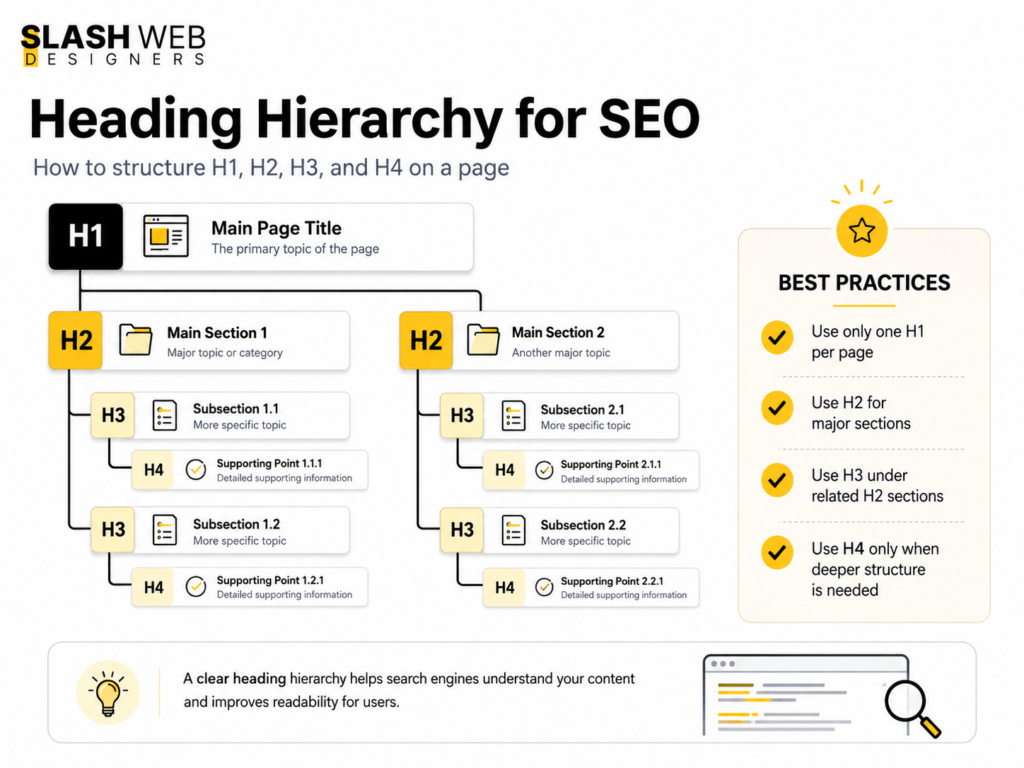
3. Create Proper Heading Structure
Headings are important for both users and search engines.
Your page should have only one H1 heading. This is usually the main title of the page. Then you can use H2 headings for main sections and H3 headings for sub-sections.
This structure makes the page easy to scan and easy to understand.
Why Headings Matter in Web Design
Many websites use headings only for styling. This is not good. Headings should not be used just because they look big or bold. They should follow a logical order.
Proper headings improve readability, accessibility, and SEO. Google uses headings to understand the main topics covered on a page.
For business owners, this means your important services and selling points become easier for both users and Google to understand.
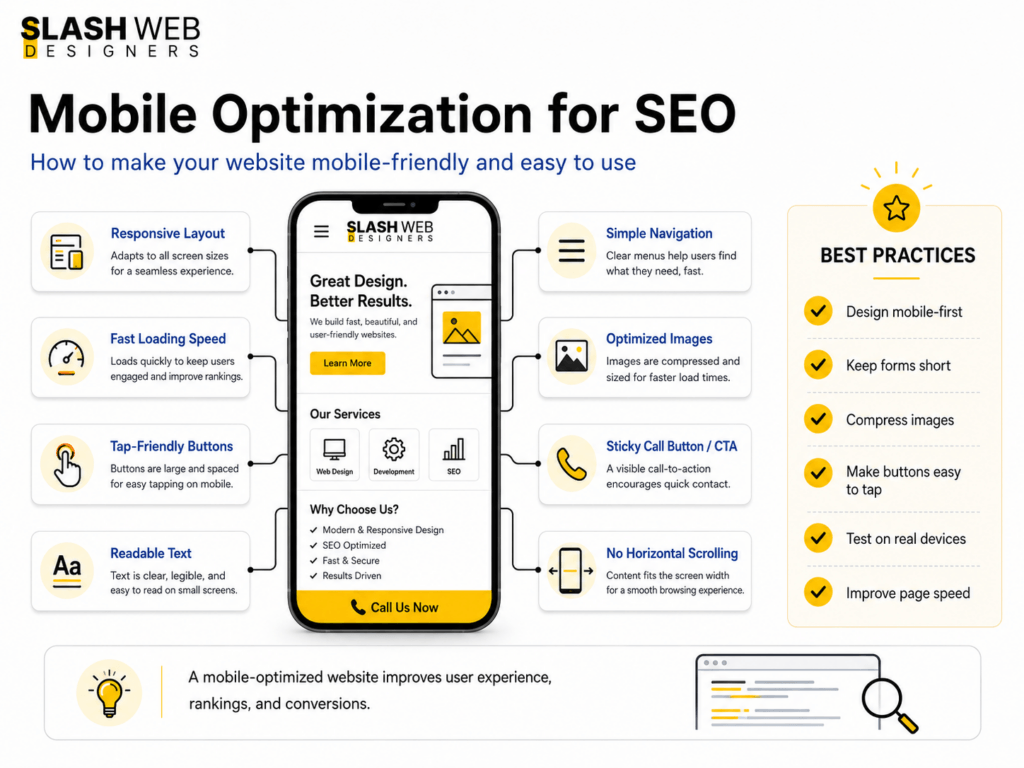
4. Make the Website Mobile-Friendly
In 2026, mobile-friendly design is a basic requirement.
Most users search from mobile phones. Google also mainly evaluates the mobile version of your website for indexing and ranking. If your website looks good on desktop but is difficult to use on mobile, your SEO can suffer.
A mobile-friendly website should have:
Readable text Easy-to-click buttons No horizontal scrolling Fast loading speed Clear menu Visible contact buttons Simple forms
Why Mobile Design Is Important for Business Websites
Many business owners get leads from mobile users. A customer searching for a service may visit your site from a phone.
If your phone number is hard to find, your form is too long, or your website loads slowly, the customer may leave and contact your competitor.
Good mobile design improves both rankings and conversions.
A good-looking website is not enough if it loads slowly or does not work properly on mobile. Get your website reviewed for speed, SEO, and lead generation opportunities.
Website speed is one of the most important parts of SEO-friendly web design.
A slow website creates a bad experience. Visitors do not want to wait. If your website takes too long to load, people may leave before reading your content.
Google also considers page experience signals, including Core Web Vitals.
The main Core Web Vitals include:
Largest Contentful Paint, which measures loading speed. Interaction to Next Paint, which measures responsiveness. Cumulative Layout Shift, which measures visual stability.
In simple words, your website should load fast, respond quickly, and not jump around while loading.
How Web Design Affects Speed
Heavy images, too many animations, poor hosting, unnecessary plugins, large JavaScript files, and badly coded themes can slow down a website.
To improve speed:
Use compressed images. Use WebP image format. Avoid too many sliders. Use clean code. Choose good hosting. Use caching. Minimize unnecessary plugins. Load only important scripts.
A fast website improves SEO, user experience, and lead generation.
6. Write Helpful and SEO-Optimized Content
Design brings users in visually, but content convinces them to take action.
Your website content should explain your services clearly. It should answer the questions your customers already have.
For example, a business owner looking for website design may want to know:
How much does a website cost? How long does it take to build? Will the website rank on Google? Will it be mobile-friendly? Can I update the website later? Do I need maintenance?
Your content should answer these questions in simple English.
Keyword Research for Website Content
Before writing website content, you should know what your target audience is searching for.
For example, a web design business in Hyderabad may target keywords around website design, web development, ecommerce website development, WordPress website design, website redesign, and SEO-friendly website design.
The goal is not to repeat these keywords again and again. The goal is to understand user intent and create helpful pages around each service.
For example, instead of adding all keywords on one page, a business can create separate pages for:
This makes the website easier for Google to understand and more useful for visitors.
But keywords should be used naturally. Do not stuff keywords again and again. Google is smarter now. Content should be helpful first and optimized second.
7. Optimize Title Tags and Meta Descriptions
Every important page should have a unique SEO title and meta description.
The title tag tells Google and users what the page is about. The meta description gives a short summary of the page in search results.
Example SEO title:
SEO-Friendly Website Design in Hyderabad | Slash Web Designers
Example meta description:
Build a fast, mobile-friendly, SEO-optimized website for your business with Slash Web Designers in Hyderabad. Get a website made to rank and convert.
Why Metadata Matters
A good title can improve ranking relevance. A good meta description can improve click-through rate.
Even if your page appears on Google, users will click only if your title and description look relevant and trustworthy.
For web design, metadata should be planned before launch, not added randomly later.
If you want a deeper page-level optimization guide, this on-page SEO checklist explains how titles, meta descriptions, headings, internal links, image SEO, and other on-page elements work together:
8. Use Internal Linking Properly
Internal links connect one page of your website to another.
For example, a blog on website development cost can link to a website design service page. A service page can link to related case studies, portfolio work, FAQs, or contact page.
Internal linking helps users explore your website. It also helps Google discover and understand your pages.
Good Internal Linking Examples
From blog to service page From service page to case study From homepage to important services From related blog to another blog From footer to key business pages
Avoid using only generic anchor text like “click here” or “read more.” Use descriptive anchor text when possible.
Example:
Instead of “click here,” use “learn more about our website design services.”
This tells users and search engines what the linked page is about.
9. Optimize Images for SEO and Speed
Images are important in web design, but they should be optimized.
Large image files can slow down your website. Missing alt text can reduce accessibility and image SEO.
Every important image should have:
Compressed file size Descriptive file name Alt text Correct dimensions Modern format like WebP
Example file name:
seo-friendly-website-design.webp
Example alt text:
SEO-friendly website design for business owners
Why Image Optimization Matters
Optimized images help your site load faster. They also help Google understand the visual content on your page.
For service businesses, portfolio images, team images, product photos, and project screenshots can build trust. But they should not slow down the site.
A beautiful portfolio page that loads slowly can hurt both SEO and user experience.
10. Add Schema Markup
Schema markup is structured data added to your website code. It helps Google understand your business, services, articles, reviews, FAQs, and other page details more clearly.
Common schema types for a business website include:
Organization schema Local Business schema Service schema Breadcrumb schema Article schema FAQ schema, where relevant
Why Schema Is Important
Schema does not guarantee ranking, but it improves how search engines understand your website.
For a local business, Local Business schema can help Google understand your business name, location, phone number, services, and website details.
This is especially useful for service-based companies that depend on local search visibility.
11. Secure Your Website with HTTPS
HTTPS is a trust signal.
A website without SSL may show a “Not Secure” warning in the browser. This can reduce trust, especially if users need to fill out a contact form or make a payment.
Every business website should have a valid SSL certificate.
Why Security Matters in Web Design
Security is not only a technical issue. It affects user trust and conversions.
If a visitor feels your website is unsafe, they may not submit their details. For business owners, this means lost leads.
A secure website protects users and creates a professional impression.
12. Avoid Duplicate Content and Broken Pages
Duplicate content confuses Google.
If the same content appears on multiple URLs, Google may not know which page to rank. This can reduce your SEO performance.
Common causes of duplicate content include:
Multiple versions of the same page HTTP and HTTPS both accessible WWW and non-WWW versions not redirected properly Copied service content Poor URL parameters Tag and category pages creating duplicate versions
Broken links and 404 pages also create a poor experience.
Why This Matters During Website Design
During web design or redesign, URLs often change. If redirects are not handled properly, old pages may break.
For businesses targeting Hyderabad or nearby areas, local SEO is very important.
Your website should clearly mention your location, service areas, contact details, and business information.
Important local SEO elements include:
Google Business Profile Consistent NAP details Location-based keywords Local service pages Customer reviews Embedded Google Map Local schema markup
For example, a Hyderabad-based service business should naturally include its city, service areas, and local customer intent where relevant. This should be done in a natural way, not by repeating the city name in every paragraph.
Why Local SEO Matters
Many customers search with local intent, such as:
Website designer in Hyderabad Web development company near me Ecommerce website developer Hyderabad Best web design company in Hyderabad
If your website is optimized for local searches, you have a better chance of attracting nearby business owners who are ready to contact you.
14. Make CTAs Clear and Visible
An SEO-friendly website should not only rank. It should also convert visitors into leads.
A CTA, or call to action, tells visitors what to do next.
Good CTAs for a web design company include:
Get a Free Website Consultation Request an SEO-Friendly Website Quote Talk to Our Web Design Expert Check Website Design Packages Start Your Website Project
CTAs should be placed naturally across the page.
Best CTA Placements
After the introduction After explaining key benefits Near service sections After portfolio or case studies At the end of the article In the header or sticky mobile button
For business websites, CTAs should be simple and direct.
CTA Example 1: Planning a new website for your business? Slash Web Designers can help you build a fast, mobile-friendly, and SEO-optimized website that is ready to rank on Google.
CTA Example 2: Want to redesign your old website without losing SEO value? Get a professional website audit and redesign plan from Slash Web Designers in Hyderabad.
CTA Example 3: Need a business website that looks professional and brings leads? Contact Slash Web Designers for SEO-friendly website design services.
15. Monitor and Improve After Launch
SEO does not stop after the website goes live.
After launch, you should monitor website performance using tools like:
Google Search Console Google Analytics 4 PageSpeed Insights Rank tracking tools SEO audit tools
You should check:
Which pages are getting impressions Which keywords are bringing traffic Which pages are slow Which pages have indexing issues Which pages need content updates Which CTAs are converting
Why Continuous Improvement Is Important
Google rankings change. Competitors improve. User behavior changes.
A website that is not updated may slowly lose performance. Regular improvements help your website stay fresh, useful, and competitive.
For business owners, this means SEO-friendly web design should be supported with ongoing SEO, content updates, and performance monitoring.
Final Thoughts
Building an SEO-friendly website in 2026 is not about adding a few keywords after the design is complete. It is about planning the website correctly from the beginning.
Your website needs a clear structure, fast loading speed, mobile-friendly design, helpful content, proper headings, clean URLs, strong internal linking, technical SEO setup, secure browsing, and regular improvement.
A good website should work like your digital sales office. It should attract visitors, build trust, explain your services, and turn visitors into leads.
For business owners in Hyderabad, investing in SEO-friendly website design can make a big difference. It helps your business appear on Google, compete with other companies, and generate long-term organic leads.
Slash Web Designers helps businesses build websites that are not only visually professional but also structured for SEO, speed, mobile experience, and lead generation.
Need an SEO-Friendly Website for Your Business?
Slash Web Designers in Hyderabad builds professional business websites with clean structure, mobile-friendly layouts, optimized pages, and clear CTAs to help convert visitors into leads.
An SEO-friendly website is a website designed and developed in a way that helps Google crawl, understand, index, and rank its pages. It also gives users a fast, simple, and helpful experience.
Why is SEO important in web design?
SEO is important in web design because website structure, speed, mobile layout, headings, URLs, content placement, and code quality all affect rankings. If SEO is ignored during design, the website may struggle to perform on Google.
Can a beautiful website fail to rank on Google?
Yes. A website can look beautiful but still fail to rank if it has poor structure, slow speed, weak content, missing metadata, bad mobile experience, or technical SEO issues.
How long does it take for an SEO-friendly website to rank?
It depends on competition, content quality, website authority, keyword difficulty, and ongoing SEO work. A properly built SEO-friendly website creates a strong foundation, but ranking usually improves over time with consistent optimization.
Do small businesses need SEO-friendly websites?
Yes. Small businesses need SEO-friendly websites because customers search online before contacting a company. A well-optimized website can help small businesses attract local leads and compete with bigger brands.
Your website is no longer just an online presence—it is your digital sales office, trust builder, and lead generation engine.
For businesses in Hyderabad, choosing the right web design company can directly impact how customers perceive your brand and whether they choose to contact you.
With so many agencies offering different services—from UI/UX to development to full digital solutions—it becomes difficult to choose the right partner.
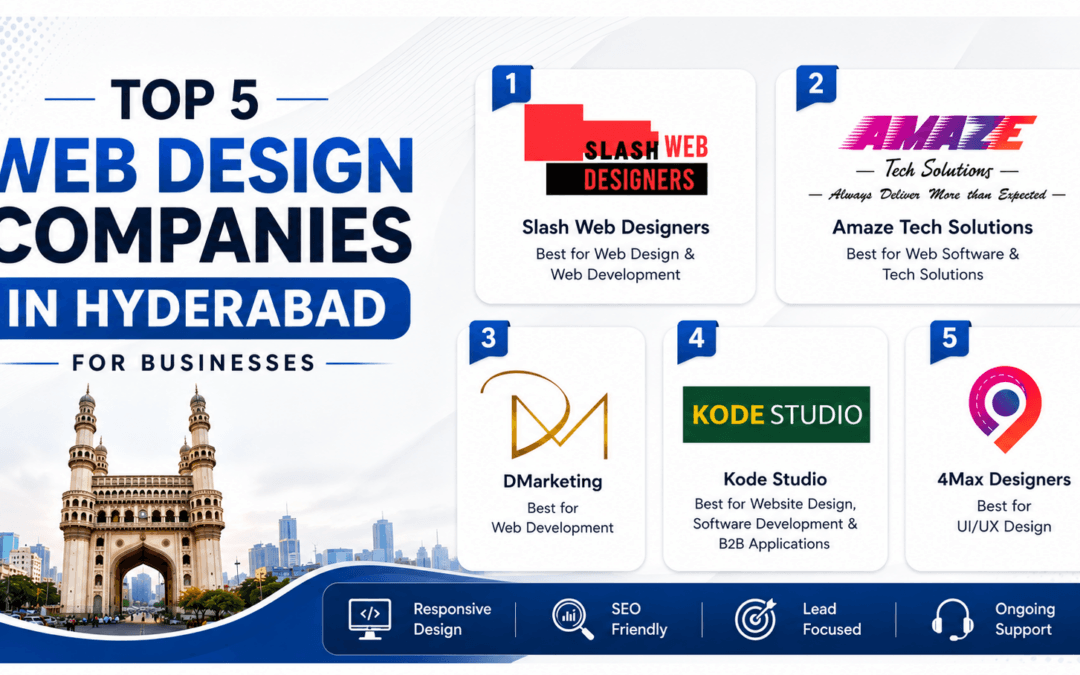
To make this easier, we’ve curated a list of the top 5 web design companies in Hyderabad for 2026, based on service clarity, market positioning, and business suitability.
1. Slash Web Designers
Best for Web Design & Web Development
Slash Web Designers specializes in building business-focused websites that combine clean design with strong functionality. Their approach focuses on creating websites that not only look good but also generate leads.
Key Strengths
Web design and development under one roof
SEO-ready and mobile-responsive websites
Lead-focused website structure
Custom solutions for business growth
Why Businesses Choose Them
If your goal is to build a professional website that drives inquiries and supports long-term growth, Slash Web Designers is one of the strongest choices in Hyderabad.
2. Amaze Tech Solutions
Best for Web Software & Tech Solutions
Amaze Tech Solutions focuses on combining website development with custom software and automation solutions.
Key Strengths
Custom web software development
Business automation systems
Scalable technical solutions
Ongoing technical support
Why Businesses Choose Them
Ideal for companies that need more than just a website and want to integrate technology into their operations.
3. DMarketing
Best for Web Development
DMarketing provides practical website development solutions backed by digital marketing understanding.
Key Strengths
Business website development
Growth-oriented approach
Lead-focused structure
Suitable for startups and service businesses
Why Businesses Choose Them
A good option for businesses that want a website aligned with marketing and lead generation goals.
4. Kode Studio
Best for Website Design, Software & B2B Applications
Kode Studio offers a wide range of services including web design, software development, and business applications.
Key Strengths
Website and application development
eCommerce and app solutions
Branding and graphic design
Custom B2B systems
Why Businesses Choose Them
A strong choice for startups and growing businesses looking for a complete digital partner.
5. 4Max Designers
Best for UI/UX Design
4Max Designers focuses on creating visually appealing and user-friendly website experiences.
Key Strengths
UI/UX-focused design
Modern and premium layouts
Improved user journey
Strong visual branding
Why Businesses Choose Them
Perfect for businesses that prioritize design quality and customer experience.
How to Choose the Right Web Design Company
Before finalizing your decision, consider these key questions:
Final Thoughts
The best web design company is not the most popular one—it is the one that aligns with your business goals.
If you need complete website design and development with a focus on growth, Slash Web Designers stands out as a strong choice.
Other companies also bring unique strengths depending on your needs—whether it’s software development, UI/UX, or digital marketing alignment.
At the end of the day, your website should not just look good—it should help your business grow.
Looking to build a high-converting website for your business? Get in touch with Slash Web Designers and start building a website that drives real results.
FAQs: Web Design Companies in Hyderabad
How do I choose the best web design company in Hyderabad?
Choose a company that understands your business goals, shows a strong portfolio, offers SEO-friendly websites, and provides post-launch support. Also, ensure they focus on lead generation, not just design.
What is the average cost of website design in Hyderabad?
Website design costs in Hyderabad typically range from ₹15,000 to ₹80,000+ depending on features, design complexity, number of pages, and custom development requirements.
How long does it take to build a business website?
A standard business website usually takes 2 to 6 weeks. More complex websites like eCommerce or custom platforms may take longer depending on requirements.
Why is SEO important in web design?
SEO ensures your website ranks on search engines like Google, helping potential customers find your business. A well-designed website without SEO may not generate traffic or leads.
Should I choose a freelancer or a web design company?
Freelancers can be cost-effective for small projects, but web design companies offer structured processes, team support, scalability, and long-term reliability for business growth.
If you’re a business owner in Hyderabad, you’ve probably asked the same question: “What should a website actually cost?”
The short answer? It depends—but there are real, reliable ranges you can use to plan your budget.
The Average Cost of a Web Designer in Hyderabad (2025–2026)
Starter Website: ₹3,999 – ₹13,000
Professional Website: ₹14,000 – ₹23,000
Ecommerce Website: ₹33,000 – ₹47,000+
Freelancers tend to land on the lower end, while established businesses fall on the higher end due to strategy, design quality, and ongoing support.
In this detailed guide, we’ll explore the actual factors that influence the web designer cost in Hyderabad, which helps you in determining how much you may need to invest in web designing and development work.
If you are planning a new business website, you can also explore our web design services in Hyderabad to understand what a professional website package usually includes.
Table of Contents
Understanding the Scope of Website Development in Hyderabad
Website development cost can be difficult to estimate from a web designer’s point of view because every project has different requirements. The actual cost varies depending on multiple factors, such as the level of design, number of pages, and features you need.
Here are the common types of websites and their possible price ranges:
Static Websites cost
Static websites provide simple and direct information without advanced designs, animations, or complex functionality. These websites are useful for startups, small businesses, portfolios, and basic informational pages.
Custom Websites Cost
Every business has unique requirements. Custom websites are designed and developed according to those specific needs, which often requires more technical and creative work.
You can also check our website design portfolio to see examples of business websites designed for different industries.
eCommerce Websites Cost in Hyderabad
Businesses that sell products online need eCommerce websites. These websites usually include features such as product catalogs, payment gateways, shopping carts, customer accounts, coupon codes, and online checkout options.
Every website comes with its own requirements, so the website development cost in Hyderabad depends mainly on the business owner’s needs, goals, and level of customization.
What Exactly Influences Web Designing Cost?
Website Design Complexity
Development Features And Functionality
Search Engine Optimization
Final revisions and maintenance
What Website Development Cost Means for Businesses in Hyderabad
Hyderabad is a unique and competitive market. As a local business, you are not only competing online at a broader level, but also competing for attention in nearby areas such as Gachibowli, Madhapur, Kokapet, Kondapur, Jubilee Hills, Narsingi, Tellapur, and other surrounding locations.
That impacts pricing in a few key ways:
1. Local Expertise Matters for Hyderabad Businesses
A web designer who understands Hyderabad’s local market, customer behavior, and SEO trends can deliver more value than a low-cost developer from outside the city.
For local businesses, this matters because your website should not only look professional but also help you attract customers from nearby areas such as Gachibowli, Madhapur, Kondapur, Kokapet, Jubilee Hills, and other service locations.
2. Website Cost Range for Local Businesses in Hyderabad
For most Hyderabad businesses, such as salons, clinics, dental clinics, contractors, real estate companies, and local service providers, website design costs usually fall within these ranges:
Starter Website: ₹3,999 – ₹13,000
Professional Website: ₹14,000 – ₹23,000
eCommerce Website: ₹33,000 – ₹47,000+
These website pricing ranges are suitable for local businesses that need a professional online presence, better visibility, and a website that can help generate inquiries throughout the year.
Why Website Design Prices Vary So Much
If you have received quotes that feel very different from one web designer to another, you are not alone. Website pricing can vary because every business has different requirements, goals, and levels of customization.
The cost usually depends on factors such as:
Number of pages
Custom design or template-based design
SEO setup and content writing
Booking system or eCommerce functionality
Speed, performance, and mobile optimization
For example, a simple 5-page informational website may cost only a few thousand rupees, while an eCommerce website with product pages, payment gateway, cart, and order management features can cost much more.
If your existing website is not generating inquiries, you may also want to review common website redesign mistakes before investing in changes.
The Hyderabad Business Reality: Cheap Websites Can Cost More
Many local businesses try to save money upfront by choosing the cheapest website option, but this often leads to rebuilding the website within a year.
Low-cost websites often lack important elements such as:
Proper SEO structure, so customers cannot find your business online
Clear calls-to-action, so visitors do not convert into leads
Easy editing options, so updates become difficult and time-consuming
Mobile-friendly design, so users may leave the website quickly
Fast loading speed, which can affect both user experience and SEO
The result is usually fewer inquiries, missed calls, poor online visibility, and another investment later to fix or rebuild the website.
How Much Should You Budget for a Website in Hyderabad?
If you are a local Hyderabad business owner, a good starting point is to plan a budget of around ₹14,000 to ₹23,000 for a professional custom website that performs well.
This investment is not only for the look and feel of the website. It also covers important elements such as:
Website strategy
User experience
Mobile responsiveness
Local SEO foundation
Your website is often the first impression your business makes, especially in a tech-driven city like Hyderabad and nearby areas.
While website prices may vary, the goal should not be to find the cheapest option. The goal should be to choose the right website investment for your business growth.
If you are unsure how much your website project should cost, the best step is to speak with a professional web designer in Hyderabad and request a detailed quote based on your business goals, website requirements, and expected features.
Wrapping Up!
Determining the website development cost in Hyderabad requires understanding several factors, such as business requirements, website features, design complexity, post-launch support, and maintenance needs.
While it is important to keep your budget in mind, investing in a professional website can play an important role in your business growth. A well-designed website can help you build trust, attract customers, and generate better inquiries.
Whether you need a basic brochure website, a professional business website, or a fully functional eCommerce website, the average web design cost in Hyderabad will vary based on your business goals, required features, and level of customization.
FAQs
What is the average cost of a web designer in Hyderabad?
The average cost of a web designer in Hyderabad depends on the type of website, design quality, number of pages, and required features. A basic starter website may cost around ₹3,999 to ₹13,000, while a professional business website may cost around ₹14,000 to ₹23,000.
How much does a business website cost in Hyderabad?
A professional business website in Hyderabad usually costs between ₹14,000 and ₹23,000. However, the final price can vary based on the number of pages, custom design requirements, content writing, SEO setup, and mobile responsiveness.
Why do website design prices vary so much?
Website design prices vary because every project has different requirements. Factors such as custom design, number of pages, eCommerce functionality, booking systems, SEO setup, content writing, speed optimization, and post-launch support can all affect the final cost.
Is it worth investing in a custom website for a local business?
Yes, investing in a custom website is usually worth it for local businesses that want to build trust, attract customers, and generate inquiries. A custom website can provide better user experience, mobile responsiveness, local SEO structure, and stronger calls-to-action.
What should a professional website include?
A professional website should include a clear homepage message, service pages, contact form, call or WhatsApp button, mobile-friendly design, fast loading speed, SEO-friendly structure, and clear calls-to-action that help visitors contact the business.